

Go to Windows platform Display platforms icon
Go to Windows platform Go to Mac platform Go to Android platform Go to iOS platform
Wavepad icon

Wavepad

24.38+
Dev Onboard
4.7 7 reviews
508.3 k downloads
security security

Complete audio editor with professional results

Advertisement
Remove ads and more with Turbo
Advertisement
Remove ads and more with Turbo
Uptodown Content Team icon
Reviewed by
Uptodown Content Team
Review written by Uptodown's in-house Editorial Team using the insights provided by NCH Software.

Wavepad is sound editing software that allows you to work comfortably with virtually any audio file, regardless of the format. Record and edit music, cut and paste sound files, add a variety of different effects, reduce noise in an audio file, and much more.

Compatible with over 50 formats

The most important thing when working with audio files, especially in large projects, is for the program you are using to be compatible. Luckily, Wavepad has great compatibility, supporting the classic MP3, WAV and OGG, but also VOX, GSM, WMA, AU, AIF, FLAC, AAC, M4A, MID, AMR, and many more. As a result, you can work comfortably on complex projects with many different files.

Advertisement
Remove ads and more with Turbo

Convenient and easy-to-use interface

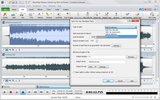
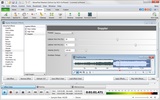
Speaking of working comfortably, Wavepad also stands out for its convenient interface. Anyone with any experience with multimedia editing software will intuitively know where to find all the program's tools. And if you aren't sure, that's not a problem either. Wavepad presents a series of interactive tutorials integrated within the interface, allowing you to learn everything you need to know on the fly.

Effects, filters and more

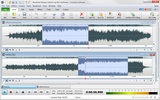
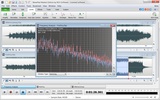
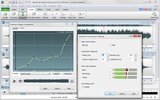
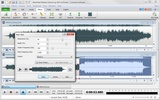
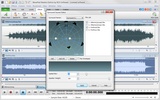
Although the most commonly used tools in this type of program are for trimming and merging audio files, Wavepad offers a lot more. As far as effects are concerned, you can add echo to any audio file, change the pitch of voices, or amplify the voices within a movie or a song. Many of these tools employ AI technology to deliver excellent results in just seconds. AI-powered tools include noise removal, audio enhancement, voice editing, and text-to-speech.

The sound library, your new best friend

One of Wavepad's most useful features is its Sound Library. You can access it from the File menu and you will find thousands of sound files there, perfectly organized and ready to be used instantly. Need the sound of a dog barking? Just look for it in the animals folder. Need computer sounds? Just search for it. You can find hundreds of different sounds, and all of them can be added with a single click.

An excellent cross-platform audio editor

Download Wavepad and discover one of the best audio editors available for Windows. This lightweight program takes up less than 15 MB on your hard disk and allows you to work comfortably with all your sound files and obtain professional results. The app is very useful, and has dozens of tools and features to help you modify any sound file or song.

Information about Wavepad 24.38+

Basic information

Developer NCH Software
Category Audio Editors
Rating All ages
Languages English

Distribution model

Pricing Free
License Proprietary
Copyright © 2026 NCH Software
Why is this app published on Uptodown? (More information)

Security and privacy

Required permissions Not applicable
See security and antivirus report

Download info

Downloads 508,302
Date Jun 25, 2026
File type EXE
Size 3.61 MB
SHA256 8463bc50680ad556a8e8e9db9a31fb01a0f26b7cf121739f8e8a6428065365d4
Advertisement
Remove ads and more with Turbo

Older versions

See more
exe 24.33+ Jun 9, 2026
exe 24.31+ Jun 3, 2026
exe 24.27+ May 24, 2026
exe 24.23+ May 12, 2026
exe 24.12+ Apr 6, 2026
exe 24.02 Jan 27, 2026
Available for other platforms

Rate this App

Review the app
Wavepad icon

Rating

4.7
5
4
3
2
1
7 reviews

Comments

See more
amazinggreenkingfisher69991 icon
amazinggreenkingfisher69991
7 months ago

Could you tell me if this version comes with the code

Like
Reply
cleverorangeconifer85618 icon
cleverorangeconifer85618
in 2023

it's great; it is one of the most complete audio editors I know - congratulations (I will recommend)

Like
Reply
warexiawarexia icon
warexiawarexia
in 2011

I find it amazing that you are among the few who tell the truth... many others offered the version in Spanish, and then it was in English!!!! The program is great, super easy to use, and I couldn't wa...See more

28
2
See more
Advertisement
Remove ads and more with Turbo
Audacity icon
Record and edit all types of audio files
Reaper icon
Record, edit and render waveform audio
Cakewalk icon
A full recording studio on your PC
Cubase icon
Create your own music pieces in a comfortable way
ACID Music Studio icon
Create and share your own music
Zortam Mp3 Media Studio icon
Organize your Cds and edit their ID tags
Ardour icon
Digital audio editing with many options
Giada icon
Use samples to create your own music
VideoPad Video Editor and Movie Maker Free icon
Easily create your own videos
MixPad Free Music Mixer and Recorder icon
Create your own mixes with professional results
Debut Video Capture and Screen Recorder icon
Record webcam videos or reate videos of the screen activity
Prism Video Converter icon
Multiformat video converter
DeskFX Audio Enhancer Software icon
Improve the sound of your speakers and headphones
Express Scribe Transcription Software icon
Transcribe any audio file using a simple interface
KeyBlaze Typing Tutor icon
Learn to type with this virtual tutor
Switch Audio File Converter icon
Transform any audio format into MP3
Spotify icon
Stream your favorite artists for free
iTunes icon
Apple's comprehensive multimedia player and online marketplace
Apple Devices icon
Manage and update your Apple devices
VirtualDJ icon
Create great DJ sets and stream them online
Audacity icon
Record and edit all types of audio files
Apple Music icon
The music streaming platform for your PC
Voicemod - Live Voice Changer icon
Change your voice with this complete modulator
TunesKit iPhone Unlocker icon
All-in-one iOS unlocking tool to remove screen lock, Apple ID, MDM.